


|
|
|
|
|
|
|
|
|
version 6.8 (Modified)
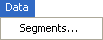
The Segments... command displays the Segments dialog box:
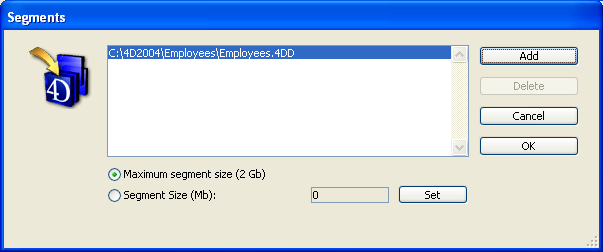
You can either segment a data file at the time you create the database or after you begin to use it. You should segment a new data file if you expect the data file to become very large. Segmenting a data file allows a virtually unlimited amount of data to be stored.
Note: You do not need to create any data segments unless you have more than two gigabytes of data or your hard disk cannot accommodate the size of your data file.
When segmenting a data file, you divide the data file into segments and then specify the volume on which each segment is to be stored. For example, four gigabytes of data could be divided into two segments of two gigabytes each. Each segment can be limited in size, so you can reserve space on your hard disk for other files and thus avoid a completely full volume.
To increase the size of an existing data file beyond two gigabytes, you can add data segments, each of which can contain up to two gigabytes of data. You use the Segments dialog box to create segments for existing data on the server machine.
For a detailed description about segmenting a data file, refer to the 4th Dimension Design Reference manual.
See Also
ADD DATA SEGMENT, Edit Menu, File Menu, Help Menu, Process Menu, Web Server Menu.
|
|
|
|
|
|
|
|
|