


|
|
|
|
|
|
|
|
|
version 2004
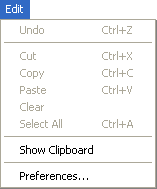
The Edit menu of 4D Server includes standard copy/paste commands, the Show Clipboard command, etc.
This menu also includes (under Windows) the Preferences... command, which displays the Preferences dialog box of the application. This dialog box is used to define numerous functions of the database. For more information about this dialog box, refer to the Design Reference manual of the 4D documentation.
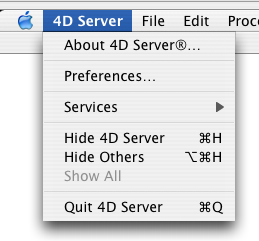
Note: Under Mac OS, the Preferences... command is found in the 4D Server menu (application menu).
See Also
Data Menu, File Menu, Help Menu, Process Menu, Web Server Menu.
|
|
|
|
|
|
|
|
|