


|
|
|
|
|
|
|
|
|
version 2004.1 (Modified)
To create a server database or open an existing database, launch 4D Server by double-clicking the 4D Server application icon.

The Welcome dialog box appears, giving you the choice of opening an existing database, creating a new one (either blank or based on a template), or restoring an archived database.
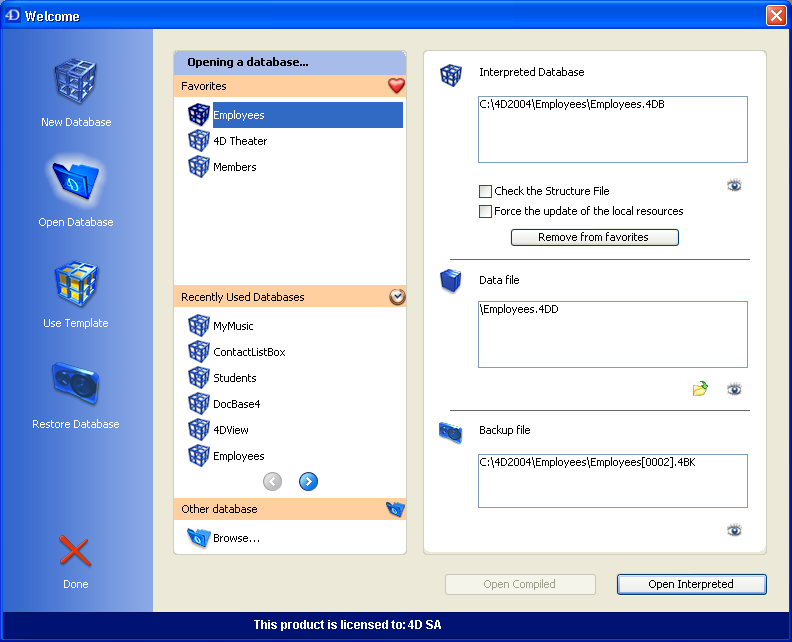
The operation of this dialog box is identical to that of the Welcome dialog box of 4th Dimension stand-alone version. For more information, refer to the Design Reference manual of the 4th Dimension documentation.
However, 4D Server provides an additional option in the Interpreted Database area: Force the update of the local resources. This option causes the systematic transmission of local resources to each client machine when it connects. Local resources are structural information related to the database that are stored on each client machine.
As a general rule, the updating of local resources on client machines is automatic whenever the database structure has been modified since the last connection. In most cases, this option is not needed. However, in certain specific cases, it may be necessary to force the update.
This option can also be set on each client machine, in which case it will only apply to the machine concerned. For more information, please refer to the Connecting to a 4D Server Database section.
|
|
|
|
|
|
|
|
|