


|
|
|
|
|
|
|
|
|
version 2004 (Modified)
You can configure the client/server connections so that 4D Server and 4D Client workstations communicate in secured mode.
The secured client/server communication is based on SSL (Secured Socket Layer) protocol.
SSL Protocol and Client/Server Connections
The SSL protocol has been designed to secure data exchanges between two applications —primarily between a Web server and a browser. The SSL protocol is designed to authenticate the sender and receiver and to guarantee the confidentiality and integrity of the exchanged information. For a detailed description of the SSL protocol, refer to section Web Services, Using SSL Protocol in the 4D Language Reference.
Regarding 4D Server and 4D Client, the SSL protocol allows communications security reinforcement. Key generation, authentication and integrity mechanisms are handled transparently by 4D Server and do not require any additional user setting.
Note: Encrypting client/server connections slows connections.
Settings
At the network level, the SSL protocol is inserted between the TCP/IP layer (low level) and the high level protocol.
To use SSL in a "classic" client/server architecture, make sure that on the 4D Server machine as well as on every 4D Client machine, the file 4DSLI.DLL is properly installed. This is the Secured Layer Interface dedicated to the SSL management. It should be placed in the [4D Extensions] folder of the 4D Server application/software package and 4D Client applications/software packages that publish the database.
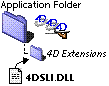
This file is installed by default.
On the other hand, the encryption of 4D Server connections is not activated by default. You should activate this mode: open the "Client-Server/Publishing" page of the application Preferences dialog box and select the option Encrypt Client/Server Connections in the "Encryption" area:
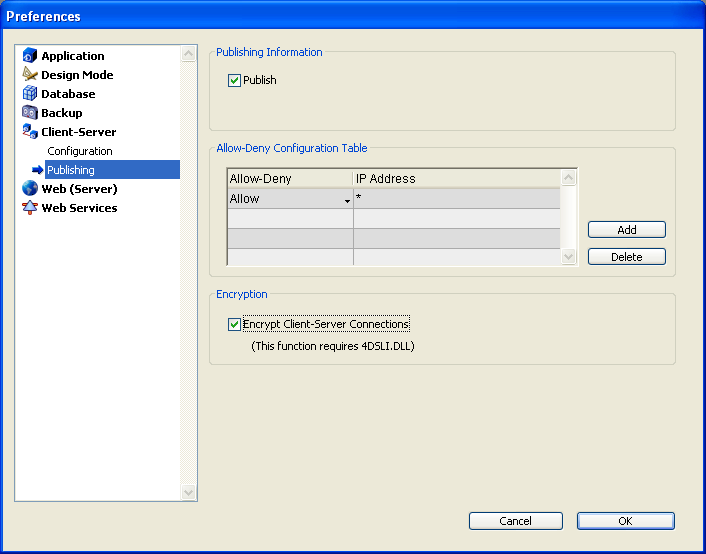
By default, the box is not checked.
You should then quit and relaunch 4D Server so that this setting is taken into account.
All 4D Client stations will then connect in secured mode.
Secured Mode 4D Client Connection
The "circumflex accent" (^) is placed before the name of the databases published in SSL mode in the TCP/IP page of the connection dialog box. Secured databases will then appear at the end of the list:
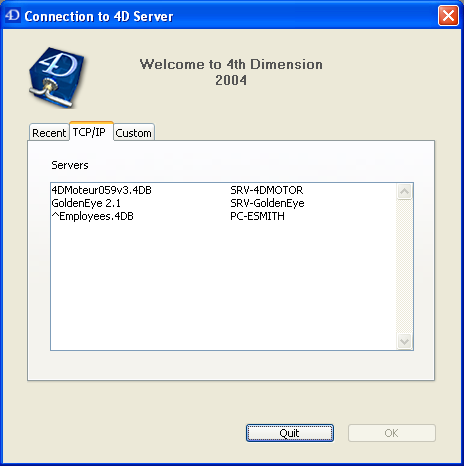
Note: When a database is not published dynamically in the Connection dialog box, the user can enter its name in the Custom page (see the Connecting to a 4D Server Database and Publishing preferences sections). In this case, a ^ (circumflex accent) must be placed before the database name if the database is published in secured mode; otherwise the connection will be rejected.
See Also
|
|
|
|
|
|
|
|
|